If your restaurant isn't showing up when someone nearby searches "restaurants near me" or "best biryani near me," the fix is almost always your Google Business Profile, not your food. Google ranks local results on relevance, distance and prominence — and prominence is mostly built from things you can control directly: categories, photos, reviews and how complete your profile actually is. Here's the checklist, adapted for how Indian restaurants, cafés and cloud kitchens actually get found.
What you will get from this guide
- A literal, screenshot-able checklist covering every part of your Google Business Profile
- Three common mistakes that quietly tank ranking, especially for multi-location and cloud kitchen setups
- How Zomato and Swiggy listings interact with your Google Maps visibility
- A realistic weekly and monthly cadence, not a one-time setup checklist you forget about
Get the foundation right first
- Verify your listing. An unverified profile shows the "claim this business" banner and won't compete in the map pack at all, no matter how good your food is. Verify by phone, email, or postcard through Google Business Profile Manager.
- Match your name, address and phone exactly everywhere. Your Google listing, your Zomato page, your Swiggy page, your website and your Justdial listing (if you have one) should all show the identical business name and address. Inconsistent NAP data across these directories is one of the most common reasons an otherwise good restaurant underperforms.
- Pin the exact location, not the nearest main road. In dense Indian markets and mall food courts especially, a pin dropped on the wrong floor, wrong block, or wrong side of a busy road measurably hurts distance-based ranking and sends real customers to the wrong entrance.
Categories and attributes
- Pick a specific primary category — "North Indian restaurant," "South Indian restaurant," "Cloud kitchen," or "Cafe" ranks you for far more relevant searches than the generic "Restaurant" category alone.
- Add every accurate secondary category — a restaurant that does biryani, Chinese and tandoori can add all three; this widens the searches you're eligible to appear in.
- Fill in attributes fully: dine-in, takeaway, delivery, outdoor seating, pure veg / has veg options, family-friendly, and payment methods accepted (UPI matters here — many searchers filter or care about this).
Photos: cadence beats a one-time upload
A profile with 15 photos uploaded once at setup and never touched again reads as inactive to Google's freshness signals. Restaurants that post fresh photos weekly — the actual dish, the counter during a lunch rush, the interior on a busy evening — consistently outperform ones that set it and forget it. Prioritize:
- Real dish photos, not stock images — genuine plating from your own kitchen
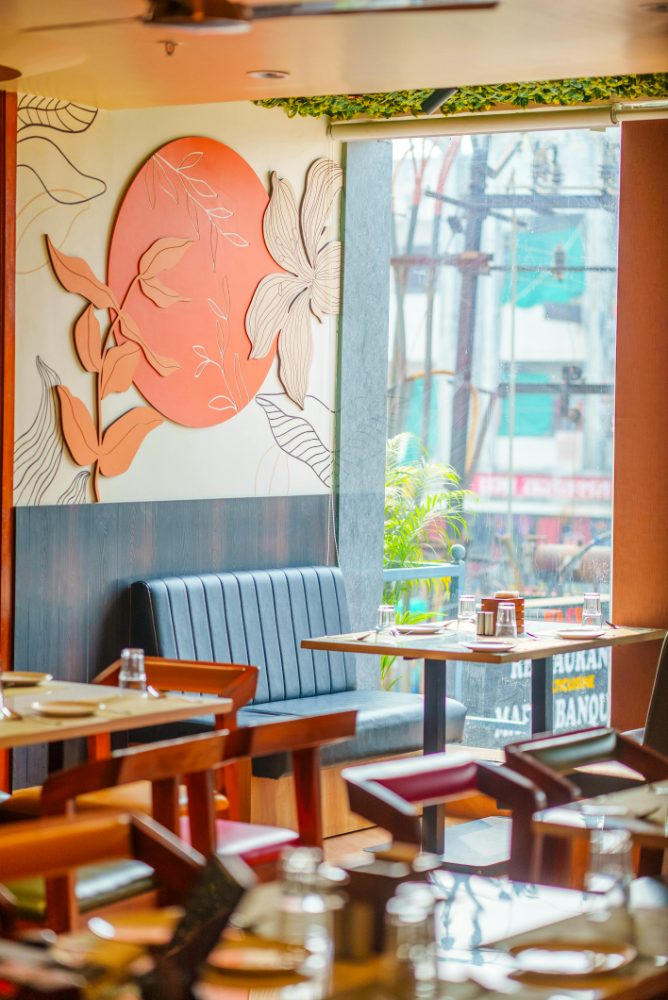
- Interior and exterior shots so customers recognize the entrance from the street
- A weekly photo, even one, logged as a habit rather than a project
Reviews and how many you actually need
Star rating matters less than review velocity — how many reviews you're earning per month, not just your lifetime total. A restaurant with 40 reviews growing steadily can outrank one with 200 reviews that stopped getting new ones eight months ago. A simple, non-pushy way to build this: train staff to mention it once, after a visibly good experience — "if you enjoyed it, a quick Google review helps us a lot" — rather than chasing reviews with discounts, which Google's policies discourage and diners see through anyway.
A full SEO audit catches what a checklist can't
qrtable's free restaurant SEO audit checks your Google Business Profile, listing consistency across Zomato, Swiggy and Justdial, and website foundations in one pass.
Free · No commitment
Google Posts, Q&A and messaging
- Use Google Posts for offers, new menu items and events — they show directly on your profile and give Google fresh, indexable content tied to your business.
- Seed your own Q&A section. Ask and answer the questions customers actually have — parking availability, whether you take table bookings, whether you're pure veg — before someone else posts an answer you'd rather control.
- Turn on messaging if you can staff it. An unanswered chat request sitting for days looks worse than having messaging off entirely.
Where Zomato and Swiggy fit into your Maps ranking
Your Zomato and Swiggy listings don't directly feed Google's local ranking algorithm, but they matter indirectly in two ways: they're another place your NAP data needs to match exactly, and they're often where a customer leaves their first review of your food, which can influence whether they then bother finding and reviewing you on Google too. Keep hours, menu prices and photos reasonably in sync across all three — Google Business Profile, Zomato and Swiggy — so a customer never gets a "sorry, we're closed" reception that contradicts what they just read online.
Three mistakes that quietly hurt multi-location and cloud kitchen brands
- Duplicate listings. A location that's been re-verified, renamed, or moved sometimes ends up with two live profiles competing against each other for the same searches. Search your own brand name in Google Maps periodically to check.
- Wrong category for cloud kitchens. A delivery-only kitchen listed as a sit-down "Restaurant" with no dine-in confuses both Google and customers who show up expecting a table. Use the "Cloud kitchen" or delivery-focused category and be explicit that it's delivery/takeaway only.
- Stale hours during festivals and holidays. Diwali, regional festivals and monsoon closures are exactly when "closed today" search suppression costs the most in lost footfall — set special hours in advance, not the morning of.
The bottom line
None of this requires an agency to execute — it's a checklist you can run through this week: verify, match your NAP data everywhere, pick specific categories, post a photo weekly, and ask for reviews after good experiences instead of chasing them with discounts. Do that consistently for a couple of months and the compounding effect on your Google Maps visibility is real, even before you touch paid ads.
Frequently asked questions
How many Google reviews does an Indian restaurant need to rank well?
Total count matters less than review velocity — how many new reviews you earn per month. A restaurant steadily earning a handful of reviews a month can outrank one with a large total that's gone quiet, so consistency beats a one-time review push.
Do my Zomato and Swiggy listings affect my Google Maps ranking?
Not directly — Google's algorithm doesn't read those platforms. But they need to show the exact same name, address and phone number as your Google Business Profile, and they're often where customers leave their first review, which indirectly shapes whether they review you on Google too.
What category should a cloud kitchen use on Google Business Profile?
Use a delivery-focused or 'Cloud kitchen' category rather than a generic 'Restaurant' category, and state clearly in your description that there's no dine-in. Listing a delivery-only kitchen as a sit-down restaurant confuses both ranking signals and customers.
How often should I post new photos to my Google Business Profile?
Weekly, even if it's just one photo. Profiles that get fresh, genuine photos regularly consistently outperform ones that were fully set up once and never touched again.